Installation and Configuration
This document explains how to create the virtual environment required to run reinforcement learning examples and how to install the dependent components.
| Item | Recommended Configuration |
|---|---|
| Operating System | ≥ Ubuntu 20.04 x86_64 (Mac/Windows not supported for now) |
| GPU | NVIDIA RTX Series (recommended VRAM ≥ 8GB) |
| Driver Version | ≥ 525 |
| Python Version | Python 3.8 |
| Supported Model | Adam Lite |
1. Create a Virtual Environment
It is recommended to use Conda to create an isolated virtual environment to avoid dependency conflicts. If Conda is already installed on your system, you can directly jump to 1.2 Create a New Environment.
1.1 Install MiniConda (if not already installed)
MiniConda is a lightweight version of Conda, used to quickly create and manage Python environments.
mkdir -p ~/miniconda3
wget https://repo.anaconda.com/miniconda/Miniconda3-latest-Linux-x86_64.sh -O ~/miniconda3/miniconda.sh
bash ~/miniconda3/miniconda.sh -b -u -p ~/miniconda3
rm ~/miniconda3/miniconda.sh
Initialize Conda:
1.2 Create a New Environment
1.3 Activate the Environment
2. Install PyTorch
PyTorch is used for neural network training and inference.
conda install pytorch==2.3.1 torchvision==0.18.1 torchaudio==2.3.1 pytorch-cuda=12.1 -c pytorch -c nvidia -y
3. Install Isaac Gym
Isaac Gym is NVIDIA’s GPU-accelerated physics simulation platform and is the core of this project’s training pipeline.
3.1 Download and Install
Download the Isaac Gym Preview 4 simulation platform. After extracting, enter the python directory and install:
3.2 Verification
Run the example:
If a simulation window pops up and 1080 balls fall normally, the installation is successful.
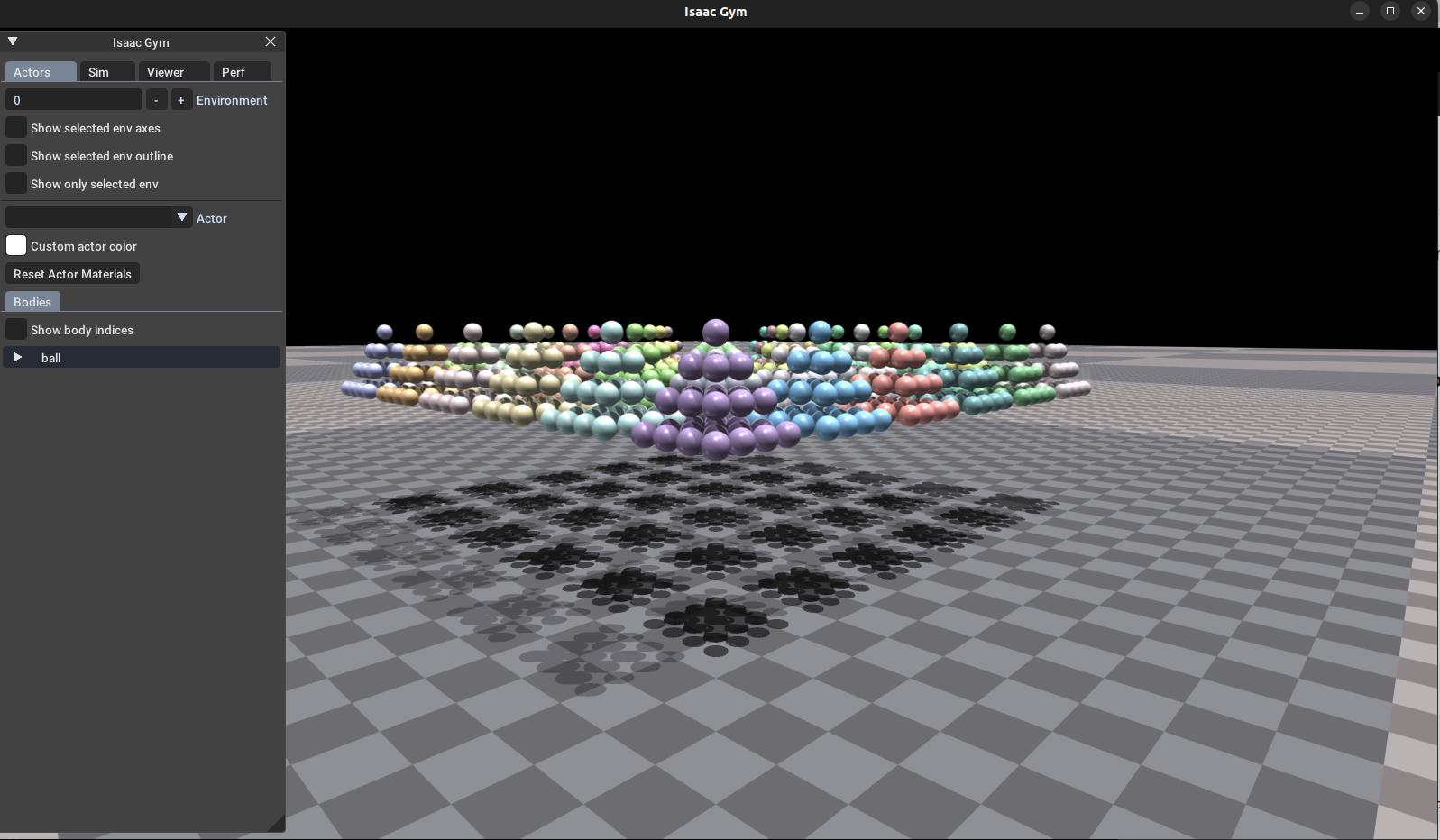
If you encounter errors, please check your system Python version. You may try running the following commands:
sudo apt update
sudo apt install software-properties-common
sudo add-apt-repository ppa:deadsnakes/ppa
sudo apt update
sudo apt install python3.8 python3.8-dev
4. Install rsl_rl
rsl_rl is a reinforcement learning algorithm library (such as PPO) provided by leggedrobotics.
cd ~
git clone https://github.com/leggedrobotics/rsl_rl.git
cd rsl_rl
git checkout v1.0.2
pip install -e .
5. Install pillow
Pillow is a powerful image processing library for Python, providing a wide range of image manipulation features.
6. Install pnd_rl_gym
pnd_rl_gym is PND’s official reinforcement learning training project, including environments, configurations, and training scripts. Run the following commands in the terminal to download and install:
6.1 Verification
python legged_gym/scripts/train.py --task=adam_lite_12dof --headless --num_envs=64 --max_iterations=1
7. Install pnd_sdk_python (Optional)
The pnd_sdk_python library is used to communicate with the physical robot.
If you want to deploy trained models to a real robot, you need to install pnd_sdk_python.