🏗️ PNDhoist Electric Hoist
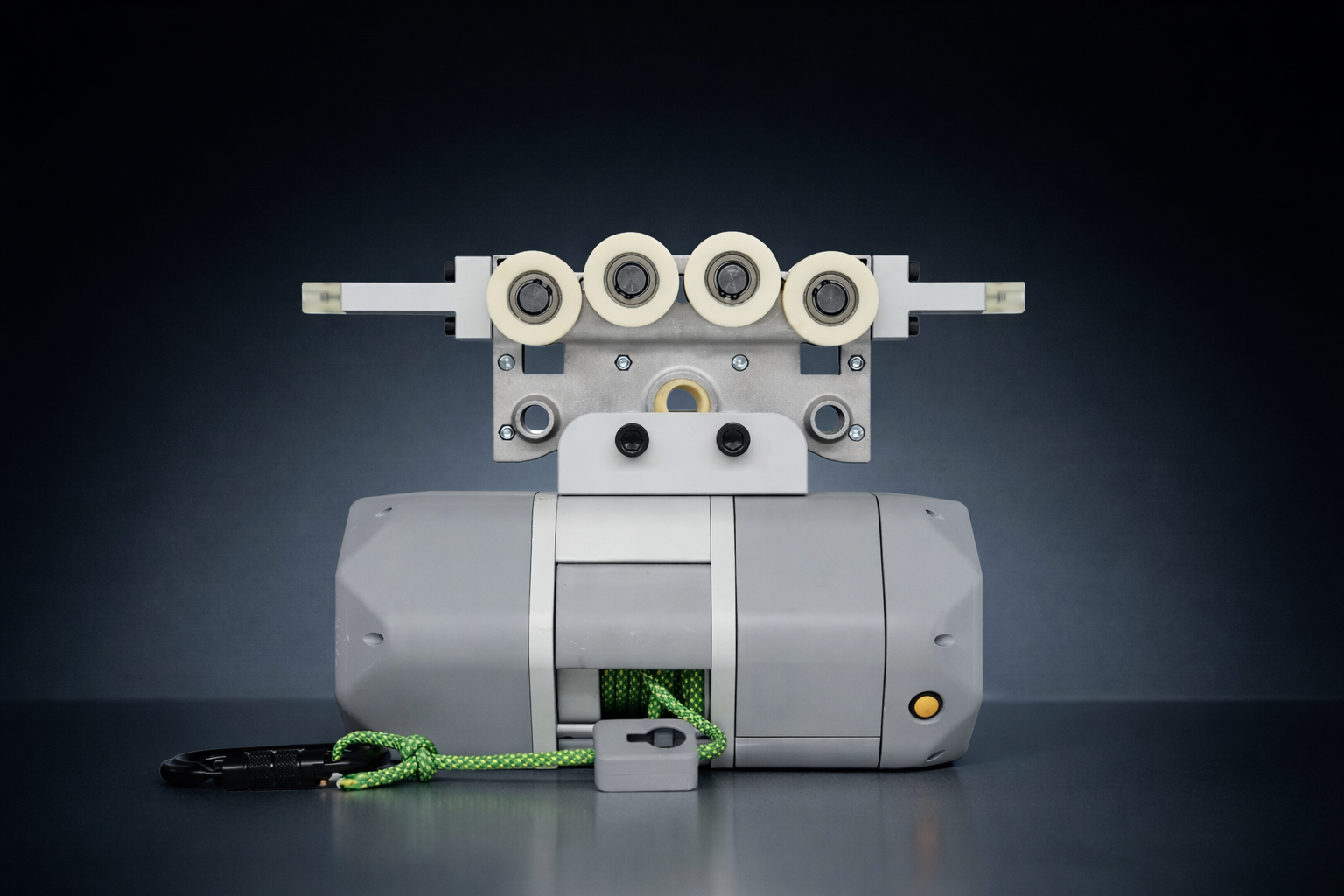 PNDhoist is a lightweight, intelligent electric lifting device, specifically designed for robotics R&D laboratories, precision assembly workshops, small-scale production lines, and testing scenarios.
Through wireless remote control and an intelligent control system, it achieves efficient, safe, and precise lifting and positioning operations, greatly improving R&D and operational efficiency.
💡 Core Features
⚙️ Precision Control
- Stepless Speed Regulation: Supports continuous smooth speed adjustment from low-speed micro-movements to high-speed lifting.
- Multi-mode Control: Features position, velocity, force, and jog modes to meet precision lifting and automation needs.
- Intelligent Constant Force: Force control mode enables gravity compensation and constant force lifting.
⚡ Ultra-High Torque Density Electric Drive
- External Rotor PMSM: Utilizes high magnetic energy product permanent magnets and external rotor topology for high flux utilization and large torque radius.
- Torque Density Increased by 60-80%: Achieves superior output with smaller volume and lighter weight.
- Deep Integration: Integrated motor and driver design for fast response and high reliability.
- Efficient Heat Dissipation: External rotor structure provides a larger heat dissipation area, ensuring continuous stable operation.
📡 Wireless IoT & Intelligence
- Long-range Remote: Wireless remote control range up to 20 meters, supporting parallel operation of multiple devices.
- IoT Ready: Supports Bluetooth 5.0/Wi-Fi, capable of connecting to PLC or cloud platforms for remote monitoring and cluster synchronized control.
- OTA Upgrades: Supports remote wireless firmware updates to continuously optimize performance.
🔋 Efficient Endurance & Quiet Operation
- Ultra-long Endurance: Capable of completing thousands of standard lifting tasks on a single charge.
- Ultra-low Noise: Operating noise as low as 65dB(A), approximately 30% lower than common products, suitable for quiet environments.
🧠 Comprehensive Safety Protection
- Multi-protection: Equipped with multiple safety mechanisms including overload, overheat, limit, and emergency stop protections.
- Double Anti-fall: Built-in dual electrical and mechanical brakes to ensure safety.
🪶 Lightweight Modular Design
- Extreme Lightweight: Uses high-strength aluminum and composite materials, reducing weight by 30%.
- Compact Modular: Small footprint for easy installation and integration; modular design supports functional expansion and convenient maintenance.
Technical Parameters
| Parameter | Specification Details | Parameter | Specification Details |
|---|---|---|---|
| Product Model | PNDhoist v1.0 | Rated Load | 80 kg |
| Unit Weight | 10 kg | Dimensions (LxWxH) | 365mm×155mm×300mm |
| Rope Length | 5 Meters | Communication | Bluetooth BLE 5.0 / Wi-Fi |
| Charging Time | Approx. 2 Hours | Battery Capacity | 374 Wh (8100mAh × 46.2V) |
| Operating Temp | 0°C ~ 40°C | Remote Range | 10 ~ 20 Meters (Unobstructed open environment) |
| Lifting Speed | 7.6m/min | Sound Pressure | 70 dB(A) (No load condition) |
Tutorial Video
Component Descriptions

| Main Unit Components | Description | Remote Components | Description |
|---|---|---|---|
| Main Body | Contains pulley, motor, control unit, and battery | Power Button | Long press 3s to Power On/Off |
| Hook | For suspending load, equipped with safety latch | Pairing Button | Short press once on pairing interface to pair |
| Suspension Rope | Standard length 5 meters | Button C | Press to lift load, release to stop |
| Remote Holder | For hanging/storing the remote | Button D | Press to lower load, release to stop |
| Charging Port | For charging, located under the body | Button A | Emergency Stop (E-Stop) |
| Indicator Light | Color: Standby Green: Motor initializing Blue: Initialization success Red: Low battery/Fault |
Button B | Restart |
| Indicator Light | Blue blinking: Connecting Blue solid: Connected |
Operation Instructions
Charger Instructions
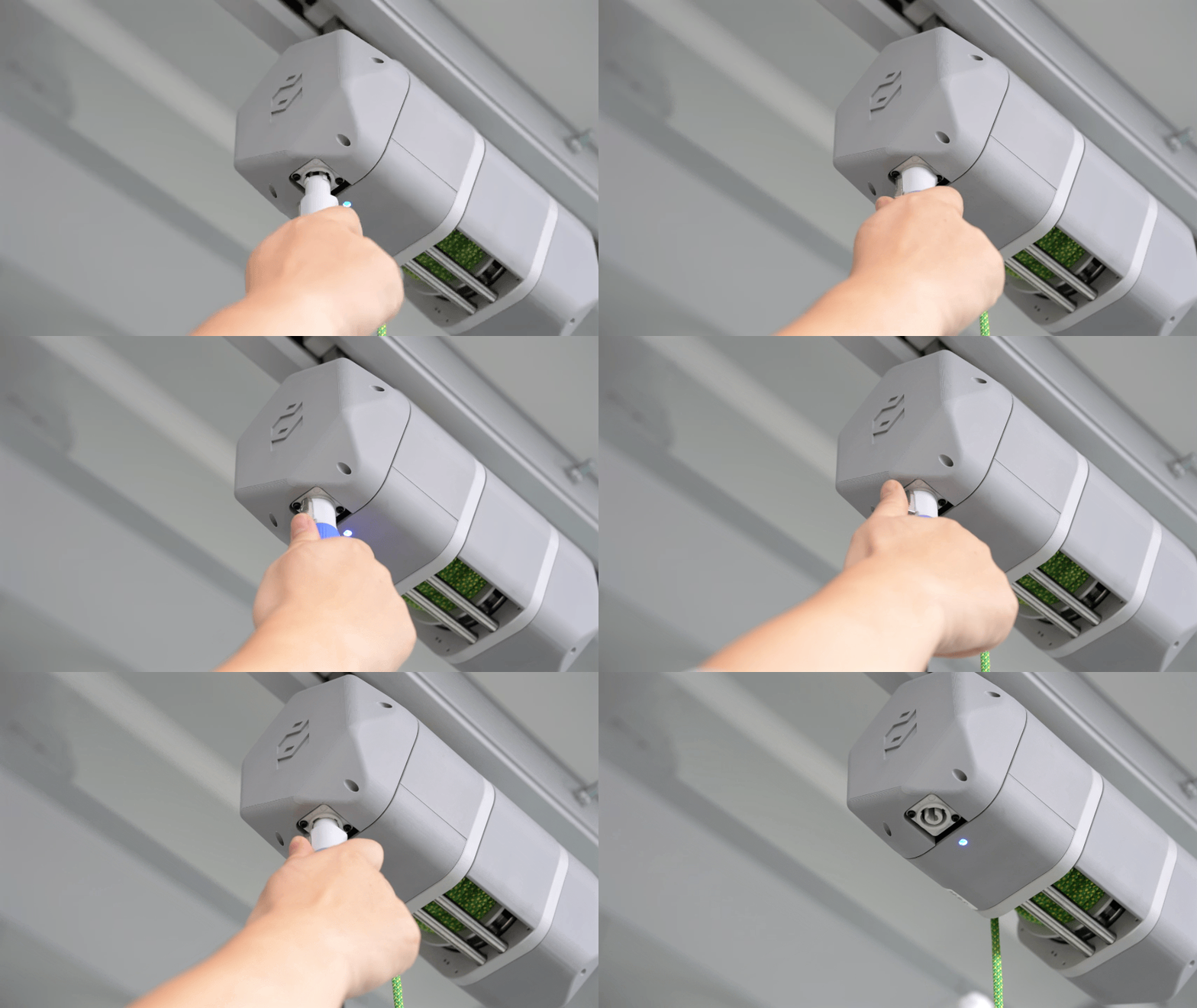
- Insert the charger plug, rotate until a "click" is heard to lock.
-
Press the plug button to unlock, then rotate to pull out.
-
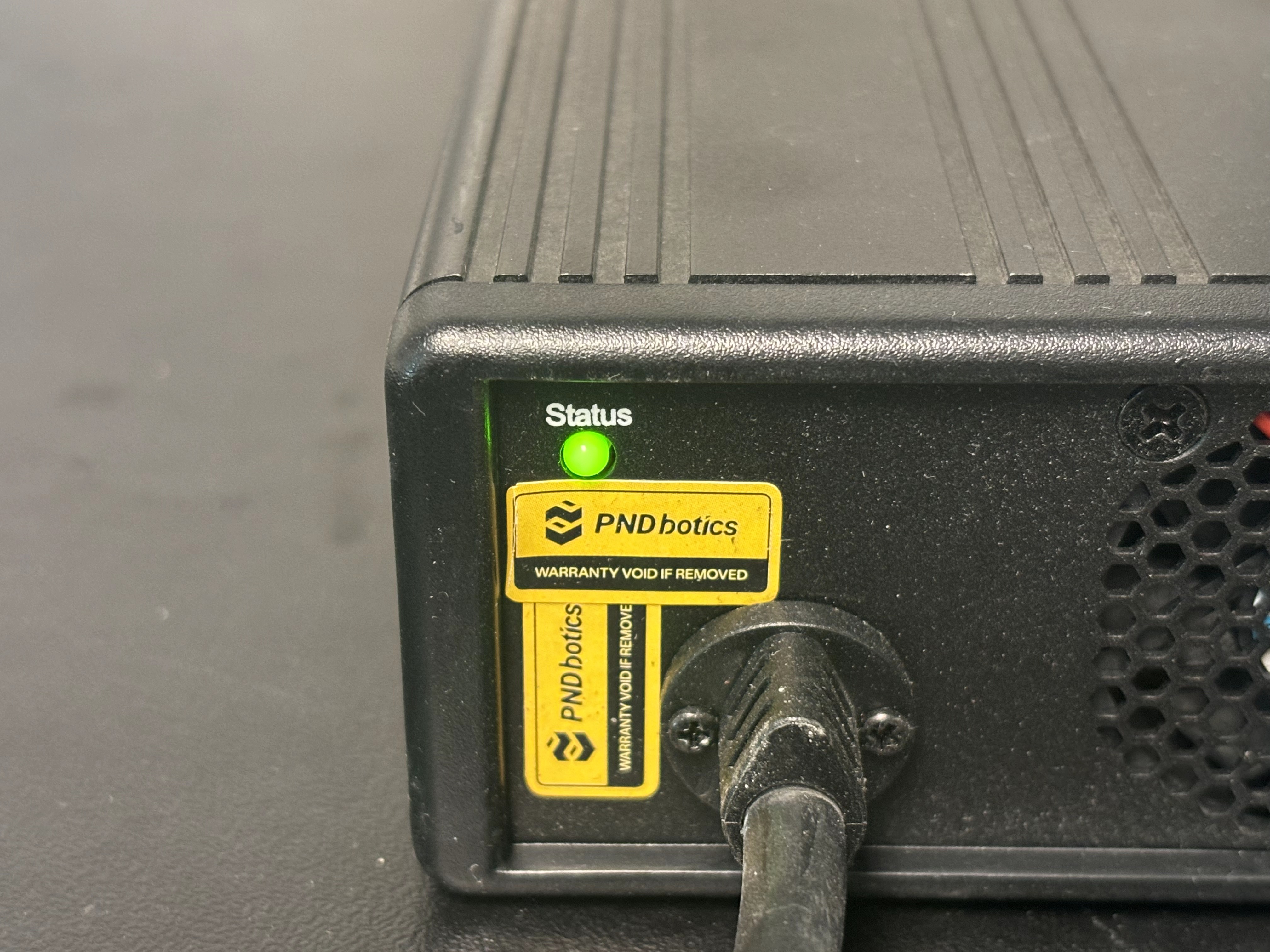
Charger Indicator Green: Battery is fully charged.
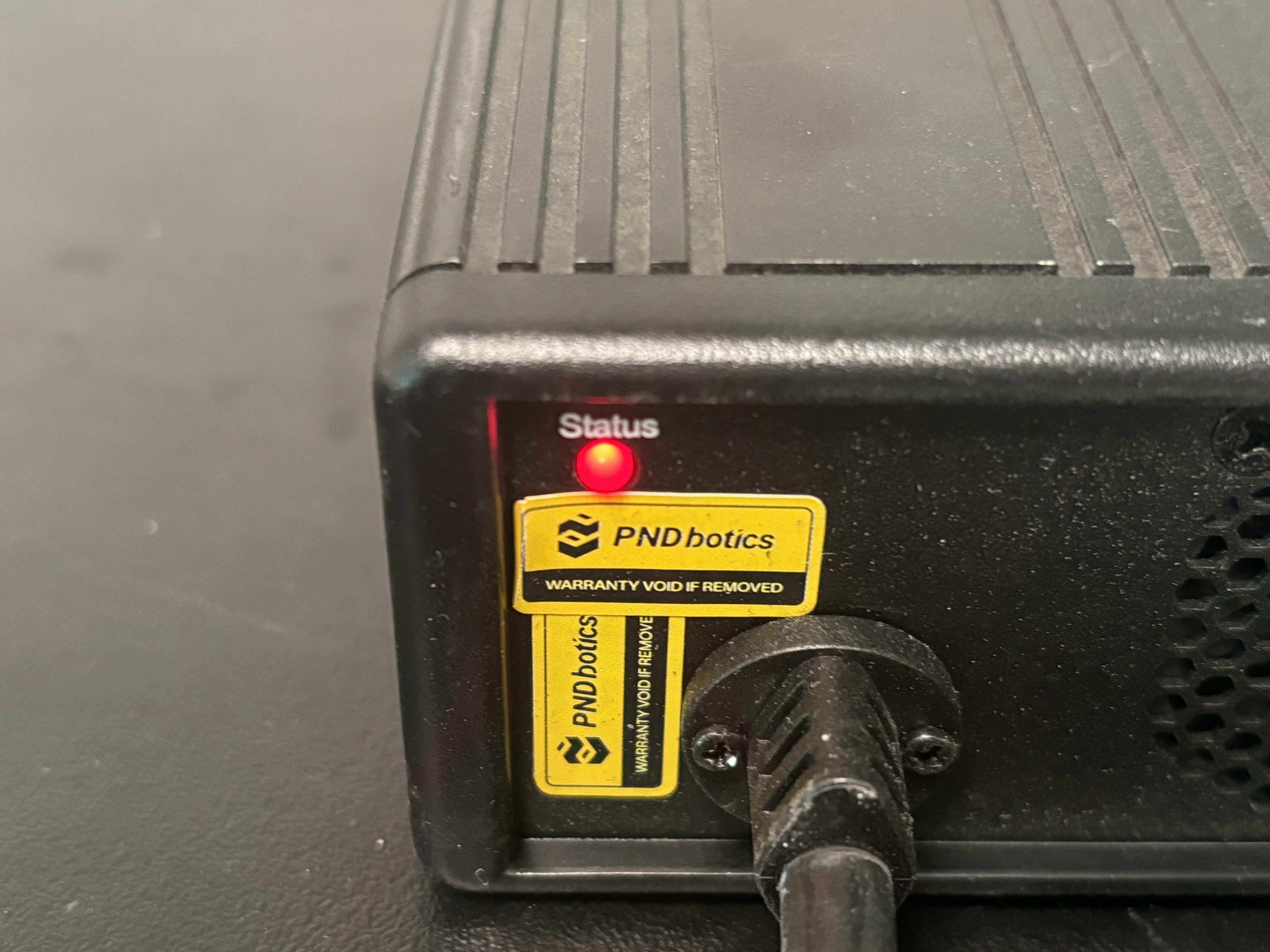
- Charger Indicator Red: Charging in progress.
Remote Control Instructions
Initial setup: The remote control is already paired. It will automatically connect after powering on and is ready for use. If replacing the remote control, re-pairing is required.
Auto Connection
- Long press the remote Power Button for 3 seconds to turn on.
- Remote Indicator Blue blinking: Indicates power on success, waiting for connection.
- Remote Indicator Blue solid, Host Indicator Green blinking: Indicates remote connected successfully, motor initializing.
- Host Indicator Blue blinking: Indicates motor initialization success, ready for remote operation.
Re-pairing
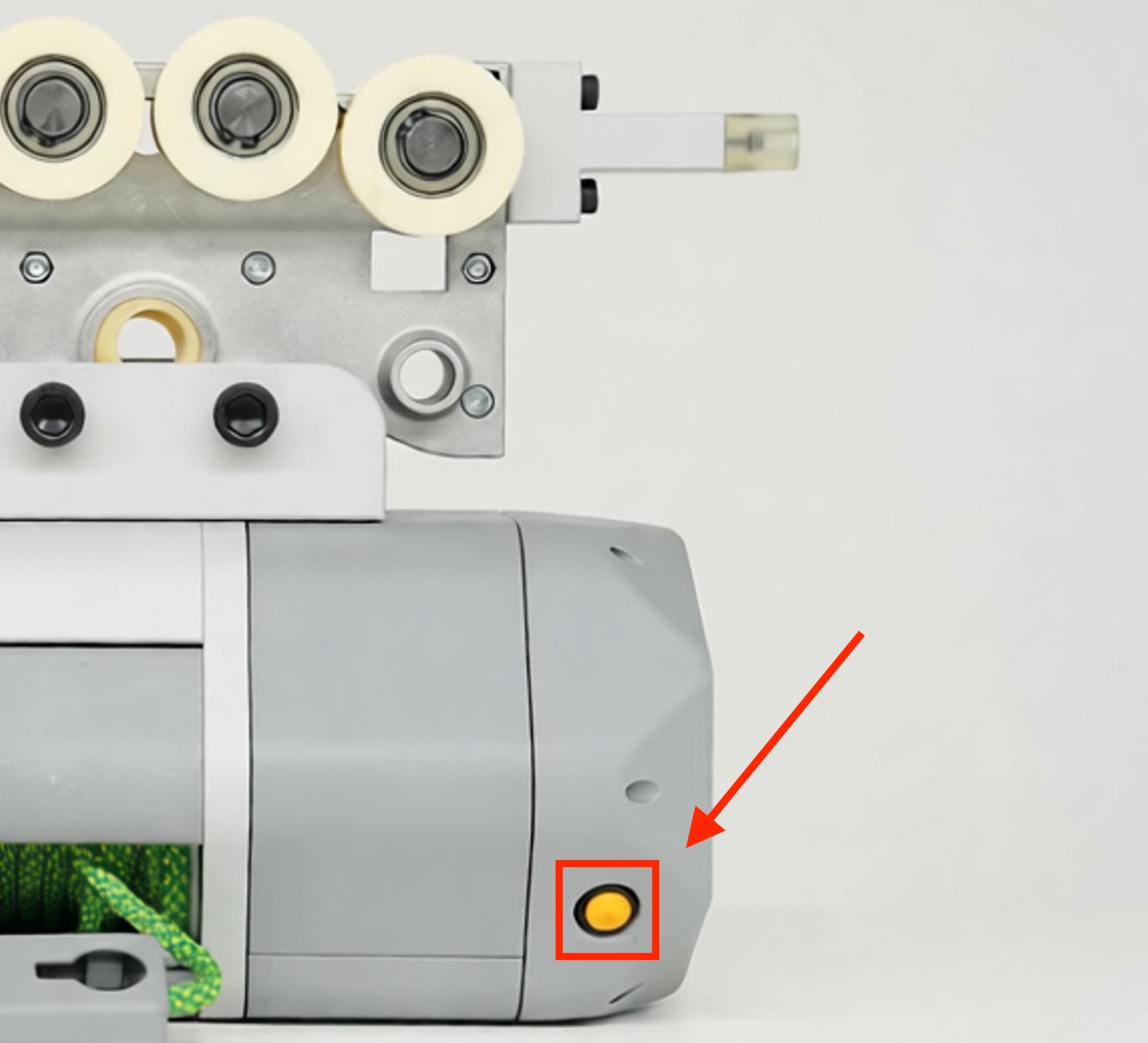
- Long press the Yellow Button on the body for 3 seconds to activate Wi-Fi.
- Connect PC or mobile device to Wi-Fi (PNDhoist_XXX, obtain from main body label), and enter the management page.
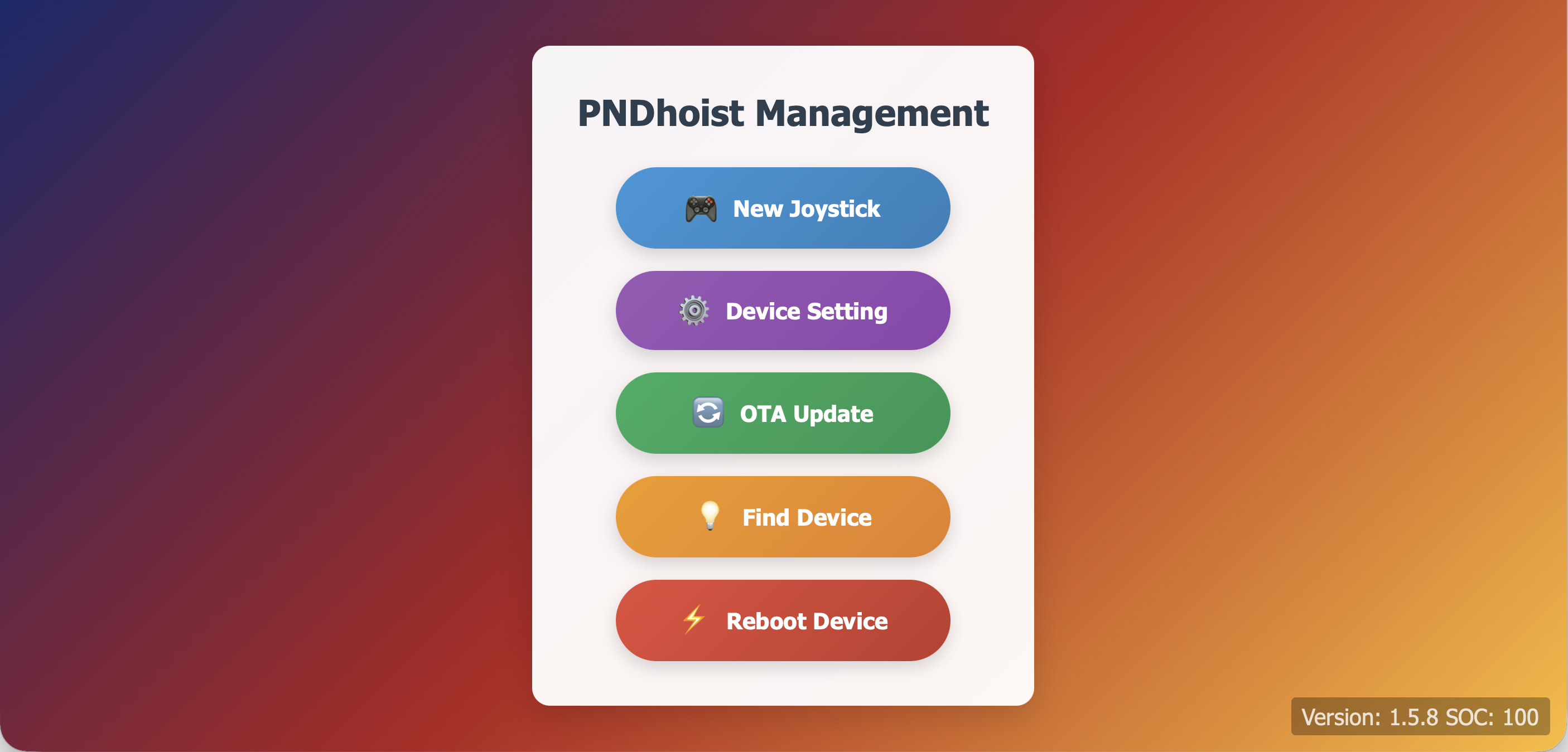
- Click "New Joystick", and simultaneously press the remote Pairing Button.
Pre-installation Check
- Ensure the guide rail is correctly installed and secure.
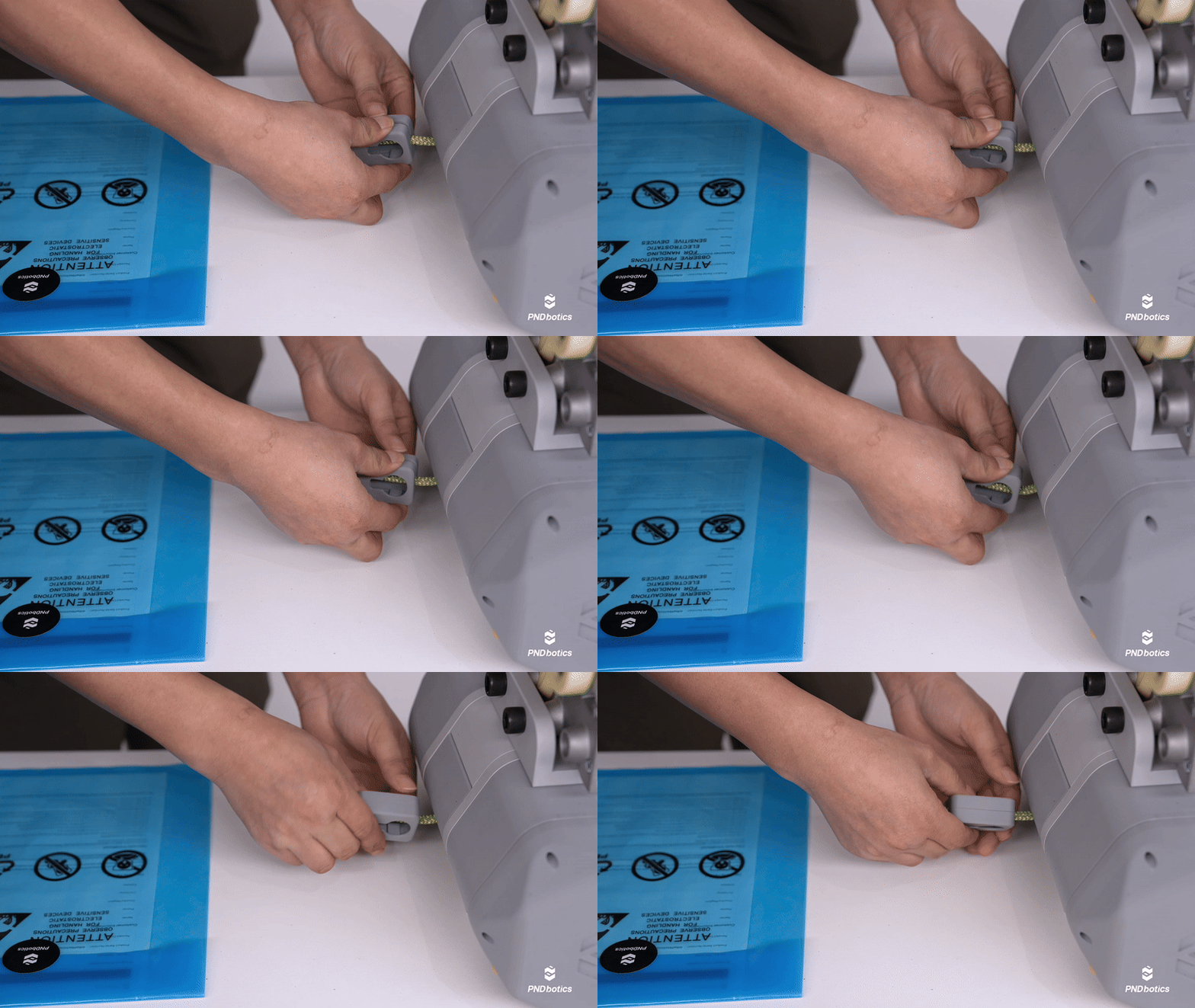
- Install the remote holder: gently press both sides to pry open the center seam, place the suspension rope in the middle, and snap it back together.
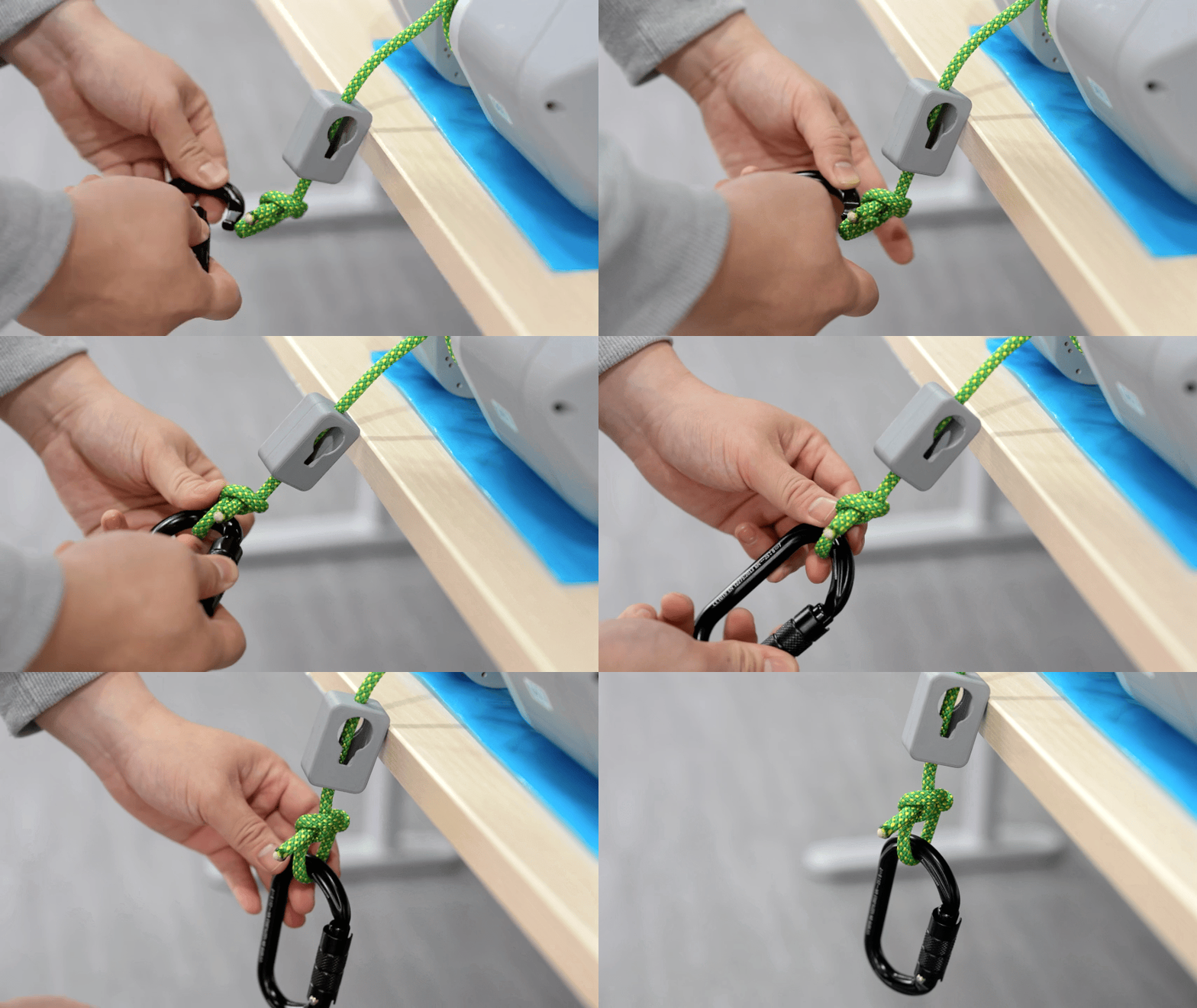
- Install the hook and check if the latch closes normally (rotate and press down to unlock, release to auto-lock).
Installation Process
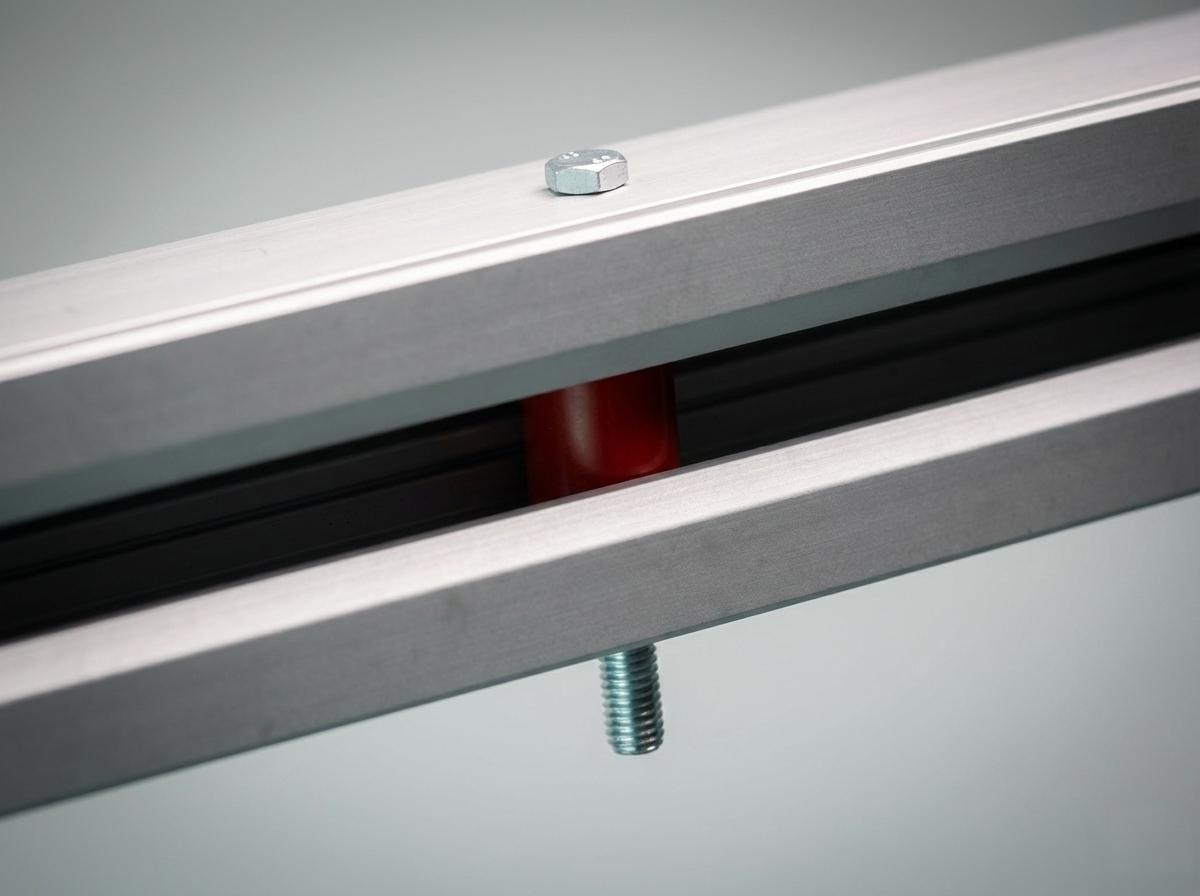
- Remove the guide rail limit strip.
- Slide the device into the guide rail with the pulley facing up (Recommend adjusting device orientation: to easily observe the suspension rope status).
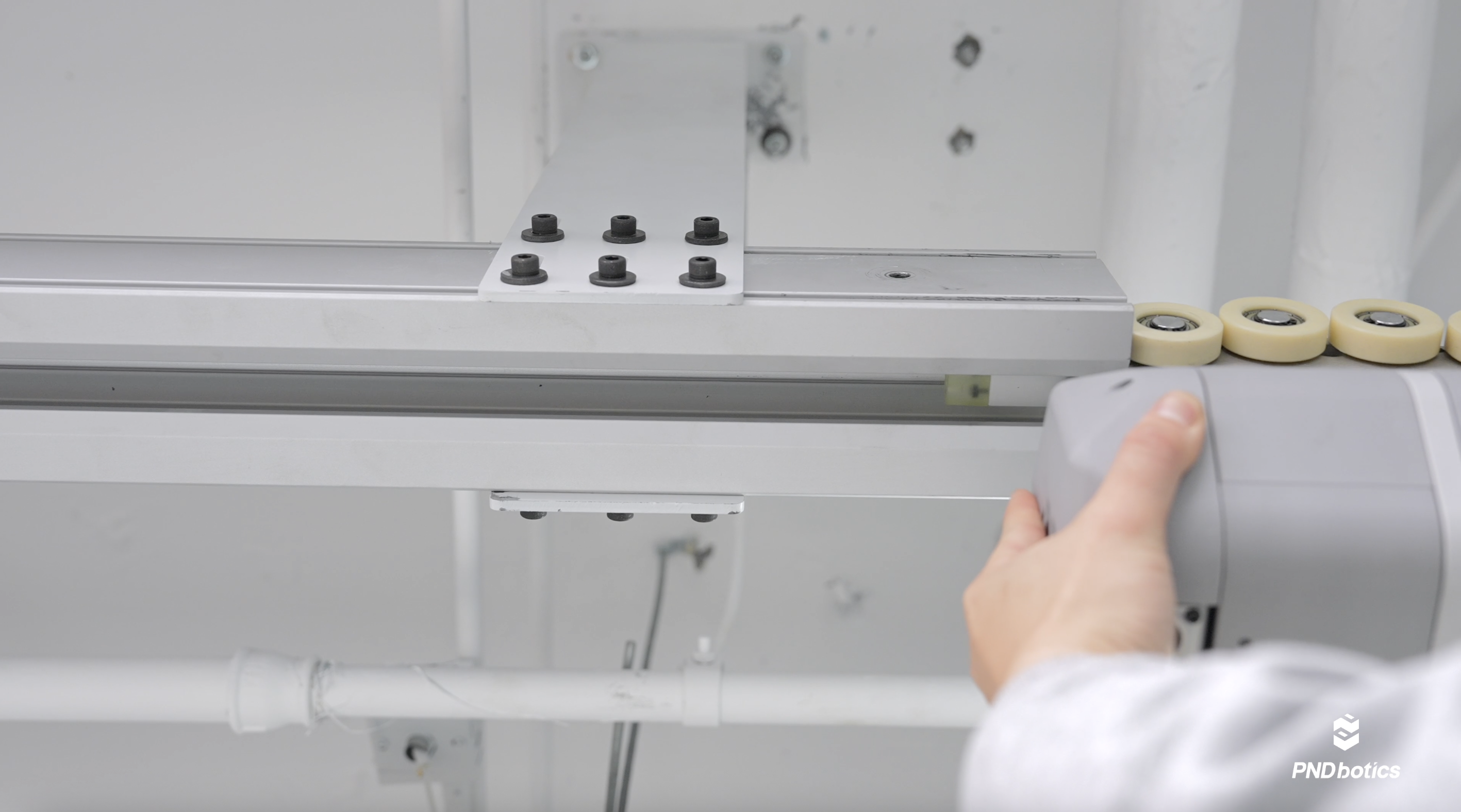
- Reinstall the guide rail limit strip and confirm it is secure.
Lifting Operation
When lifting for the first time, jog (inch) the load to lift it 10-20cm off the ground. Check that the brakes are reliable and the suspension is stable. Confirm everything is correct before continuing to lift.
- Power On & Connect: Long press the remote to power on; the device automatically connects to the paired remote.
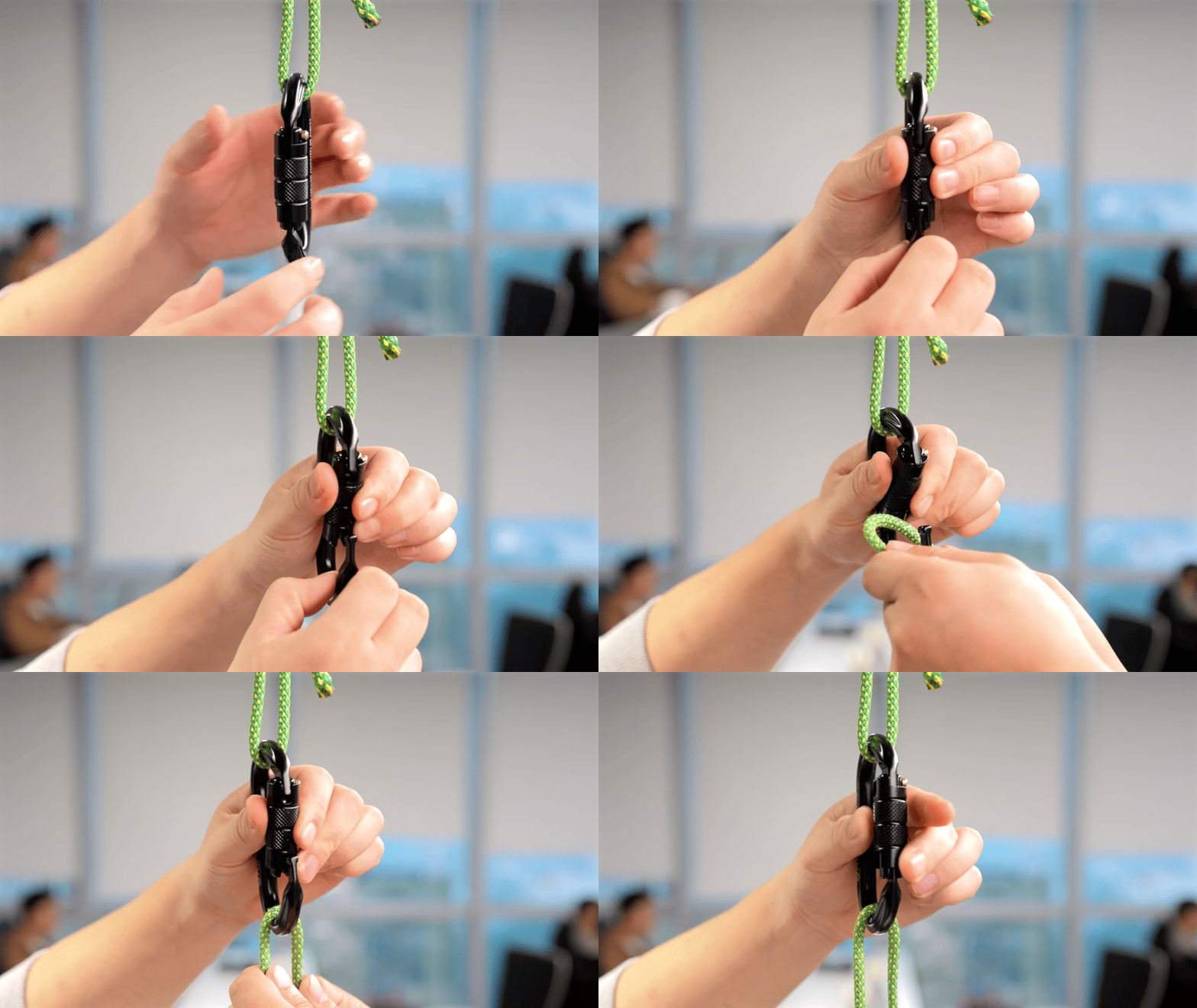
- Load Suspension:
- Rotate and press down to unlock the safety latch.
- Suspend the load.
- Release the safety latch to automatically close.
Note
- Ensure the safety latch is locked.
- Ensure the hook is located directly above the load to avoid diagonal pulling forces.
Lift / Lower:
- Lift: Press Button C
- Lower: Press Button D
- Operation Tip: Use jog/inching mode for more precise positioning.
Power Off: After completing the task, long press the remote Power Button for 3 seconds to power off. The Remote Indicator turns off, and the Host Indicator showing color indicates sleep mode.
Battery Management
Battery Parameters
- Battery Capacity: 374 Wh
- Charging Time: Approx. 2 Hours
- Low Battery Warning: When the Host Indicator flashes red, please charge immediately.
Checking Battery Level
Connect PC or mobile device to Wi-Fi (PNDhoist_XXX, obtain from main body label), enter the management page. The SOC in the bottom right corner indicates the remaining battery percentage. Example: The remaining battery in the image is 100%.
Maintenance and Care
- Daily Check: Before each use, check the suspension rope for fraying or damage, and the hook for cracks.
- Cleaning: Wipe the device with a dry soft cloth; avoid using corrosive chemical solvents.
- Periodic Check: It is recommended to perform a comprehensive check monthly, including whether fasteners are loose.
- Repair: If any abnormal noise, stuttering movement, or functional failure is found, stop using immediately and contact after-sales service.
Troubleshooting
| Item | Possible Cause | Solution |
|---|---|---|
| Cannot Power On | Battery depleted | Connect charger to charge |
| Remote No Response | Bluetooth not connected | Confirm remote is on and wait for auto-connection |
| Device Stops Suddenly | Overload protection triggered | 1. Check if load is overweight 2. Remove load, power off and restart |
| Charging Light Off | Charger not connected or faulty | Check charging cable connection or try replacing charger |
| Insufficient Lifting Force | Low battery | Charge immediately |
Last Updated: 2025-12-30